
A very strange issue occurred this week, with just one user – whenever they wanted to print via Google Chrome, the Print Preview box would just hang for 35 to 50 seconds.
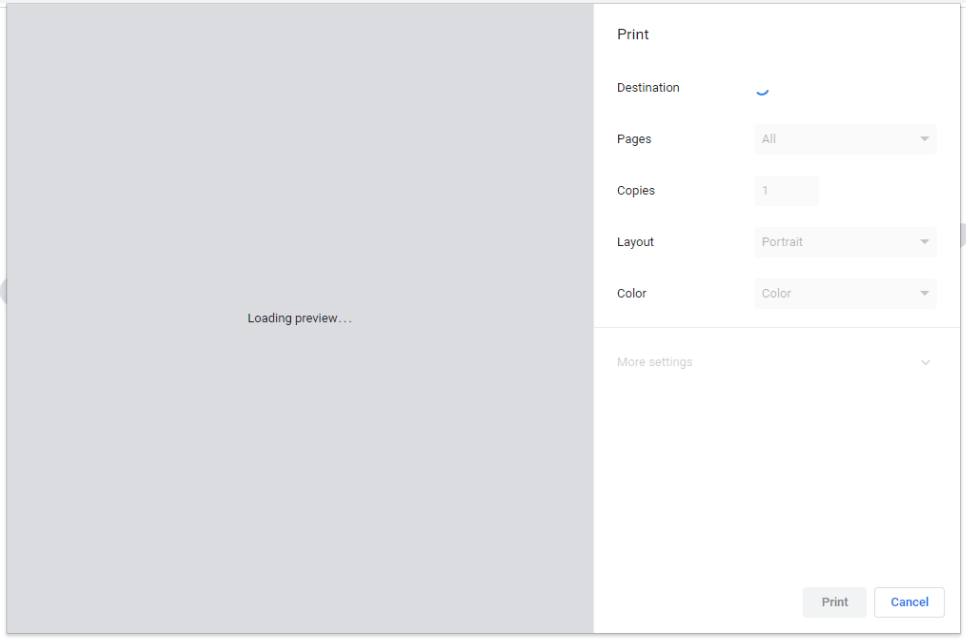
The above would spin, eventually the destination would populate with Save As PDF, then shortly after we would get a preview.
In this post, I will go through the many steps, that didn’t work and what worked.
Just for full coverage, the machine was running Windows 11 24H2 (Pro) and Google Chrome was fully up to date (v135.0.7049.115) at the time of writing this – 24/04/2025.
The only real information I could find online was an old Bug Report from Chromium, which was set to resolved – printpreview is hanging and is taking long time to load [40260379] – Chromium
Temporary Fix – Restart the Printer Spooler service. As soon as this service was restarted, print preview went from 35 – 50 seconds to instant. The issue is, this would fix the issue for a few hours. We thought of putting a Batch Script on their desktop, allowing them to run and restart this service.
What helped – within Google Chrome, you can run almost a diagnostic tool via chrome://device-log/ – unselect everything and tick Printer. With this page open, we attempted to Print, Print Preview hung with Save as PDF as the destination, closed the Print Preview prompt, and refreshed the page. I could see in the log, the default printer didn’t marry up to what Google Chrome was seeing;
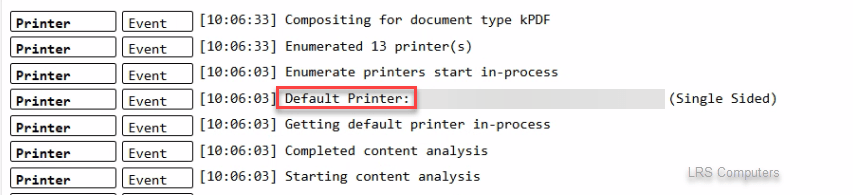
For some reason, Chrome was pulling the incorrect printer.
What Didn’t Work –
- Reinstalling Google Chrome
- Updating the Printer Drivers
- Deleting the Preferences file in Google Chrome’s AppData
- Reset Settings within Google Chrome Settings
- Chrome Flags;
- print-preview-sticky-settings (didn’t exist)
- enable-oop-print-drivers – set to disable
- Remove any browser extensions
The Fix for Us
Right-click the Google Chrome shortcut > Properties > In the target field insert a space followed by –disable-features=PrintCompositorLPAC = LPAC, which means Less Privileged App Container. From my understanding this is a feature that handles the process of generating the print previews.
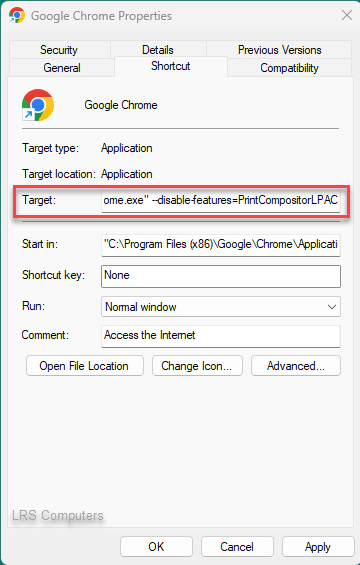
Target: “C:\Program Files (x86)\Google\Chrome\Application\chrome.exe” –disable-features=PrintCompositorLPAC
Apply > Ok. Reopened Google Chrome, Print Preview worked instantly, no hanging, no delay – it worked as expected.
 LRS Computers