
HP Printers have recently blocked non-genuine ink cartridges. We’ve seen an influx of users buying the cheaper generic store-brand cartridges, only to get them home and have HP block them from using it. Now we have seen ways around this, such as rolling back the firmware of the printer, but to your average home user, this isn’t particularly straightforward.
To add to this, a new client has been having an issue with their laptop, this…
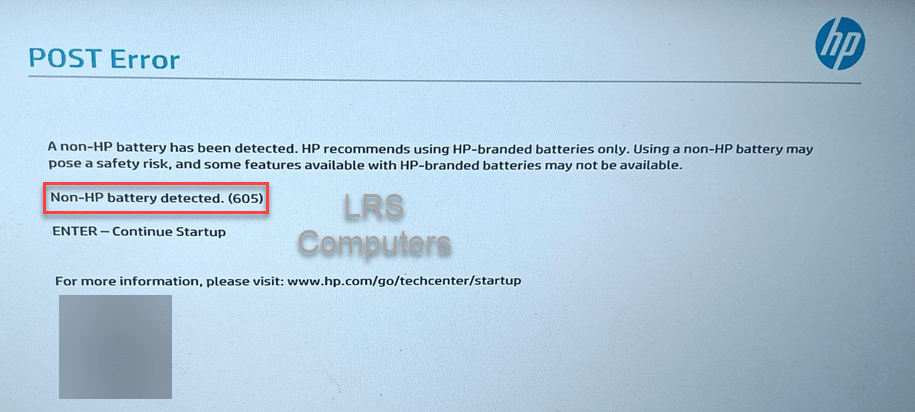
A quick Google Search shows that this could be a false positive; however, after hitting Enter to continue, the end user gets stuck in a loop.
After collecting the laptop and bringing it back to HQ, popping the back off the laptop, it did appear that a third-party battery was installed. We attempted what the forums stated: uninstall the ‘Microsoft ACPI-Compliant Control Method Battery‘, shutdown, battery out, battery in, etc etc.
I installed a fresh installation of Windows 11 24H2, on a new SSD, installed the necessary drivers from HP, re-attached the battery and powered back up, only to be prompted by Non-HP battery detected and the continuous loop cycle of not being able to boot into Windows.
Removing the battery, powering back up – we got straight-in, without a fuss.
Hopefully, if someone stumbles across this post, please purchase a genuine HP battery if you require a replacement.
 LRS Computers