
In 2025, we still see programs and applications freezing, not responding, and requiring us to kill the task via Task Manager.
However, with the latest version of Windows 11 25H2, we can do this straight from the taskbar.
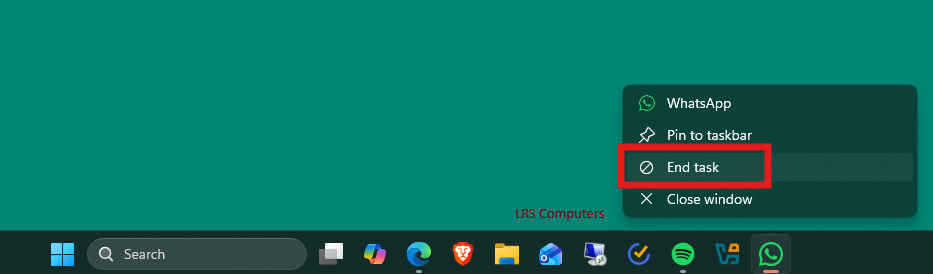
In this post, I will show you how.
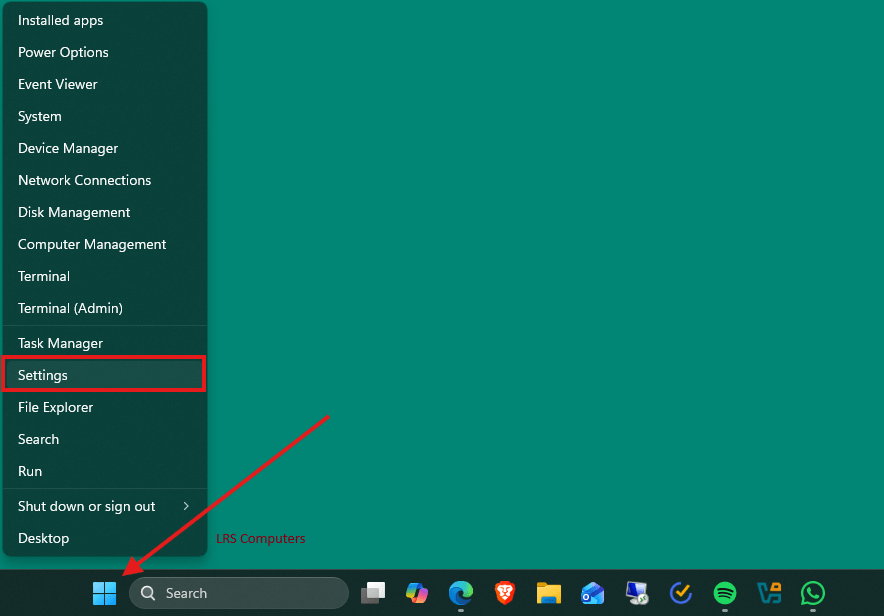
Right-Click on your Start Menu > Settings
In Settings, go to System > Advanced
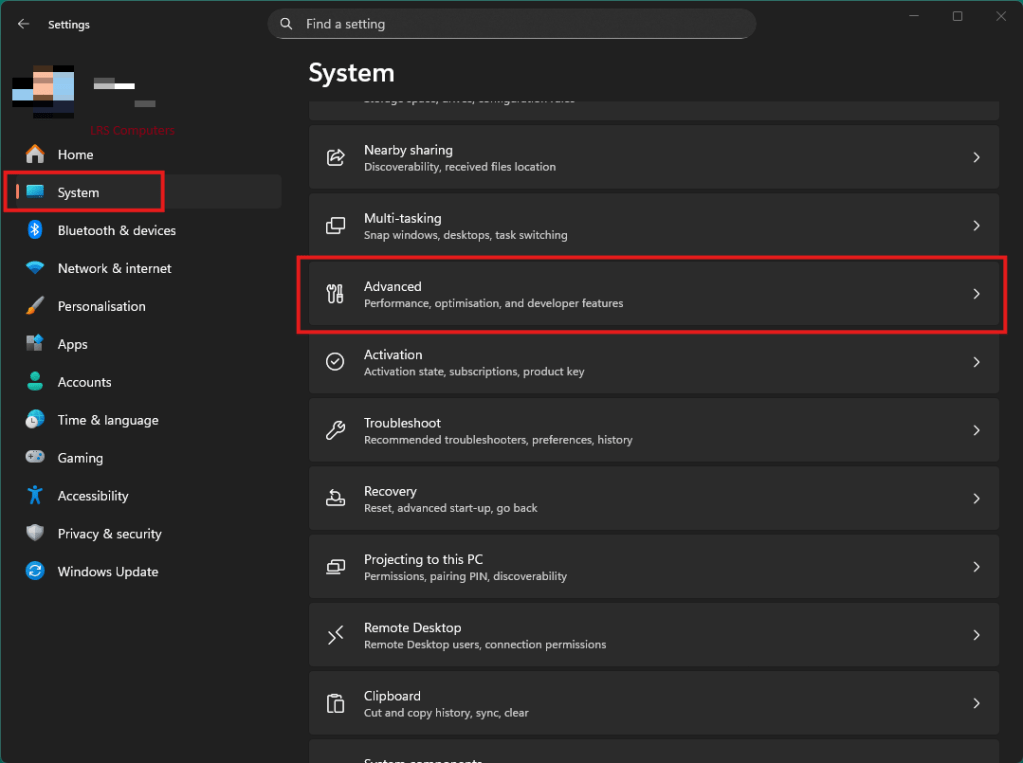
Under Taskbar – turn on End Task

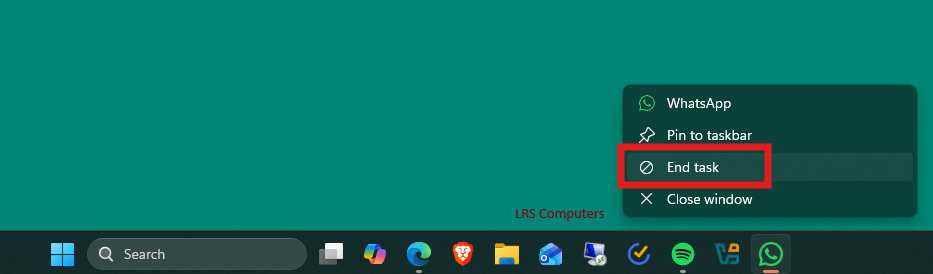
Going forward, you can now Right-Click on the program in the taskbar, and you will get the option to End Task;
 LRS Computers