
There are so many benefits to using a shared mailbox over paying for a subscription. A centralised communication, not extra licensing costs, improves workflow, easier collaboration between a team / department.
If you wish to unlock some additional features, such as creating a separate email signature for this shared mailbox or receiving notifications. You need to look into turning off automapping, then add it as an additional mailbox.
However, with New Outlook – we can now go into the settings and Convert. This means we no longer need to run PowerShell to disable automapping.

In this post, I will show you how.
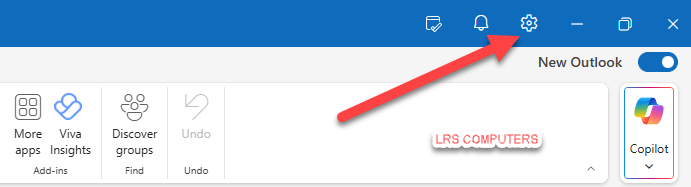
In New Outlook, open Settings;
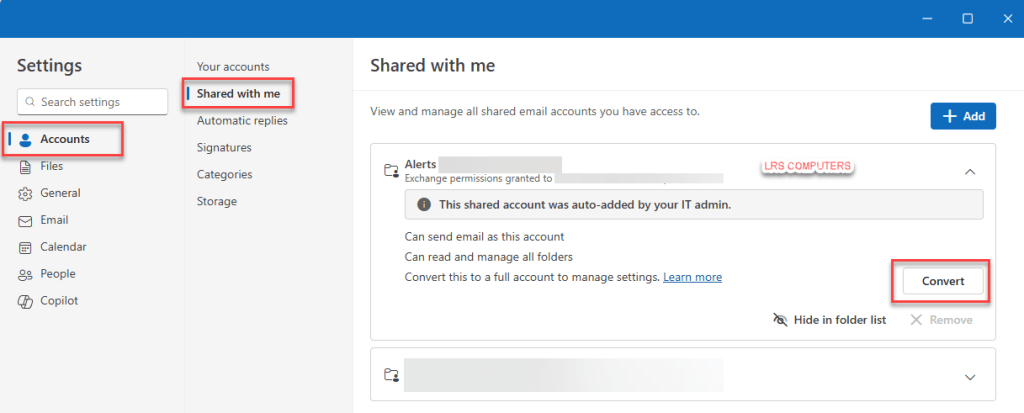
In Settings, go to Accounts > Shared with Me > expand a shared mailbox > Convert
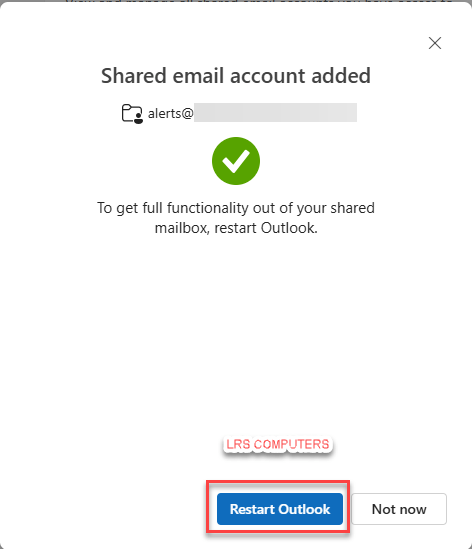
It will now prompt you to Restart Outlook;
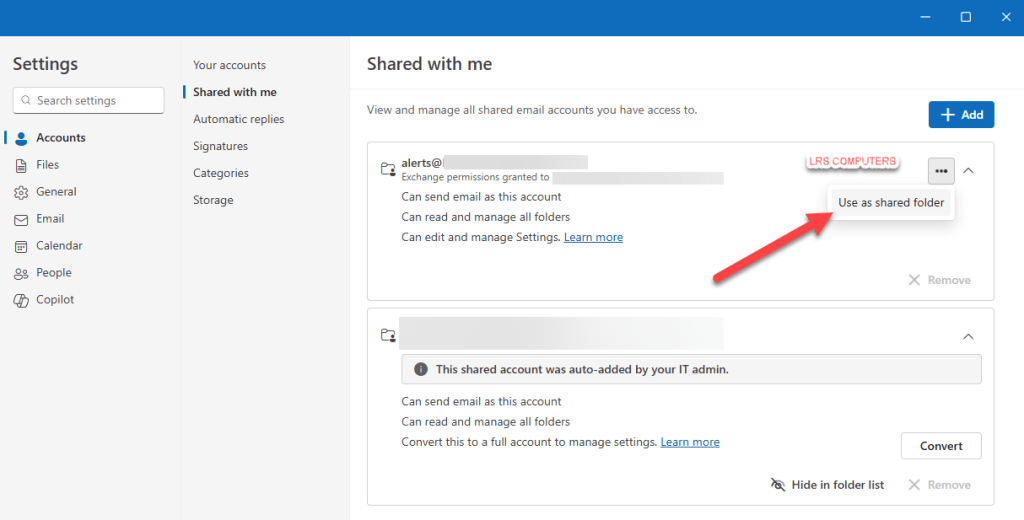
If you wish to return in back to shared type mailbox, click on the three dots and use as a shared folder;
 LRS Computers