
Anti-Virus Expired?

There’s been an argument online about whether paid anti-virus software is still required in the modern age of computing.

Growing up with computers in the late 1990s and early 2000s, there was a need for anti-virus software; we also needed anti-spyware tools to feel protected when accessing the internet. However, there is an argument now that states just using Defender (Microsoft’s own AV solution) is enough.

If you choose whether to use a paid anti-virus or not is totally down to you.

But we still need to look out for scams – we still see a bombardment of notifications claiming that your anti-virus solution has expired. Such as;

Is the above a genuine prompt from Norton? In this post, I will explain on why it isn’t.

Read More »

M365 – Review Enterprise Applications

By default, your staff can allow consent for any app to access the organisation’s data. In reality you may find nothing wrong with this for Microsoft Services such as Teams, Outlook, but how about third-party apps?

Should you be allowing third-party apps within your M365 tenant?

Third-party apps can stem from trusted sources such as Adobe, Salesforce, but quite often, we come across third-party apps that require an unnecessary amount of permissions and access.

There is currently a whole plethora of ‘AI’ apps, that staff are sign into using their M365 account, giving them access, such as being able to Read their mailbox or Send As them.

In the realm of IT, you will hear the phrase – Least Privilege. This means granting users, applications, and systems the minimum necessary access rights to perform their tasks, and no more.

In our case, we want to give the user the minimum apps that allow them to perform their job. We may have a pre-approved list of applications that they can access. But we also want to prevent them from signing into unapproved applications.

I will show you how to set up Consent and Permissions for Enterprise Applications.

Read More »

Windows 11 – Encrypt with Bitlocker and PIN

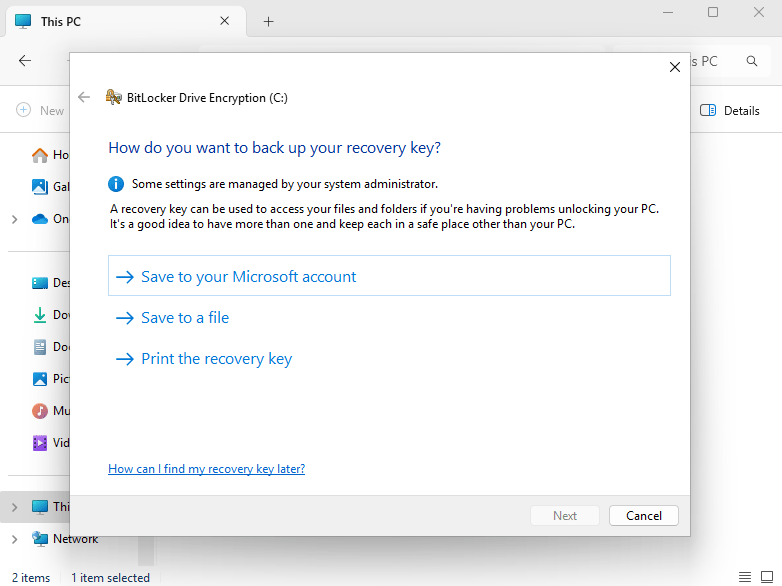
With many forms of industry standards and cybersecurity guidelines, you will see how important it is to encrypt your data. You may password protect your Windows device, but if it stolen – all it takes is someone to remove the drive, plug it into a HDD caddy, and they will have access to your data. Windows comes with its own version of encryption called BitLocker. Once BitLocker has been enabled, the data on that drive is encrypted.

However, is the standard out-of-the-box version of BitLocker secure enough? I’m going to show you how to encrypt your data with a PIN, meaning you can only get into Windows knowing the BitLocker PIN. Please note that you need to be running a Pro version of Windows to enable this setting.

Read More »