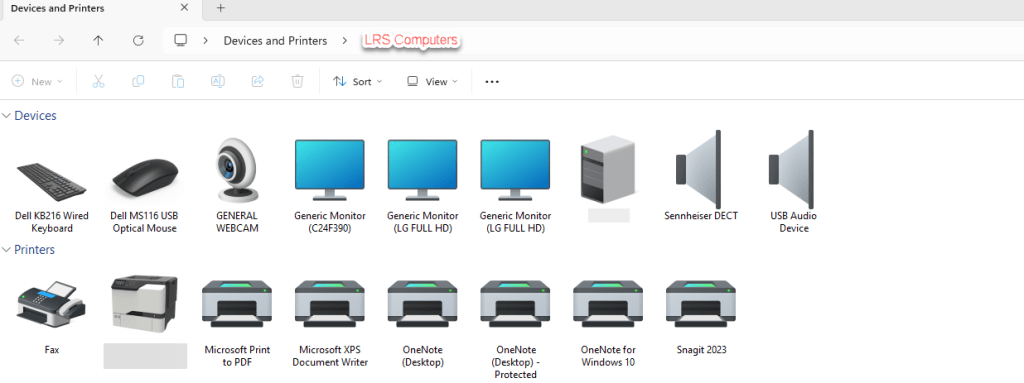
With Windows 11, we are slowly transitioning between Control Panel and Settings. However, when it comes to maintaining printers on a device, I much prefer the ‘older’ Control Panel interface.
In this post, I will show you a run dialogue on how to access the above.
There are so many benefits to using a shared mailbox over paying for a subscription. A centralised communication, not extra licensing costs, improves workflow, easier collaboration between a team / department.
If you wish to unlock some additional features, such as creating a separate email signature for this shared mailbox or receiving notifications. You need to look into turning off automapping, then add it as an additional mailbox.
However, with New Outlook – we can now go into the settings and Convert. This means we no longer need to run PowerShell to disable automapping.
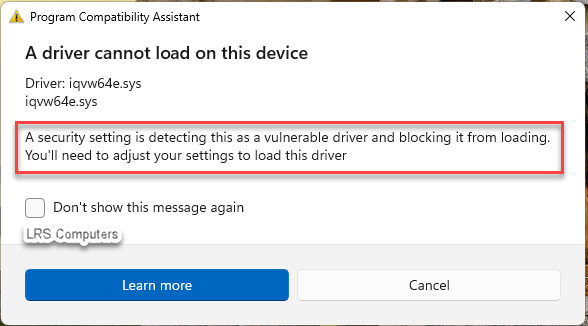
With Windows 11 becoming more and more popular due to the deadline of Windows 10, we have seen a small increase in driver issue, more specifically, “A security setting is detecting this as a vulnerable driver and blocking it from loading. You’ll need to adjust your settings to load this driver.”
This prompt is due to a setting within Windows 11 Defender. Windows Security > Device Security > Core isolation details > Microsoft Vulnerable Driver Blocklist. More information here – Microsoft KB.
In this post, and this driver in question (iqvw64e.sys) – I’ll show you the steps on how I resolved it.
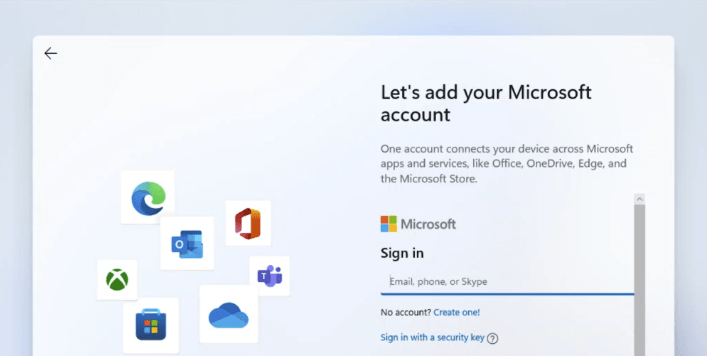
In recent news, Microsoft has blocked (removed) the popular way to create a local account over using a Microsoft Account on the Out-of-Box Experience (OOBE) on Windows 11 24H2. However, if you still wish to create a local account, here is an alternative method.


 LRS Computers