
With the luxury of using Microsoft Intune, alongside configuration policies, you can get a device set up quickly and efficiently just by enrolling it. I prefer some applications to be a Baseline, so we know that every device within a company has program X, Y & Z and one of those is Defender for Endpoint (Microsoft’s paid version of Defender).
In this post I’m going to show what happens, when you receive the following;
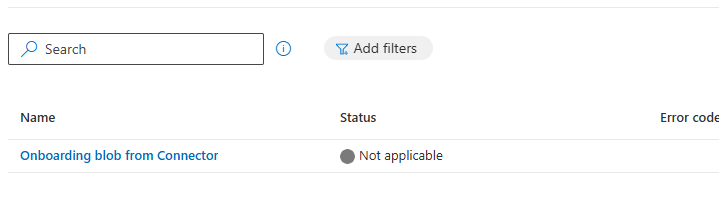
From my understanding, the above tends to happen when you’re upgrading from Windows Home to Pro, as the upgrade doesn’t contain the necessary features that allow Defender for Endpoint to install.
Anyway, I firstly attempt to run the onboarding script, but kept being hit with the following;
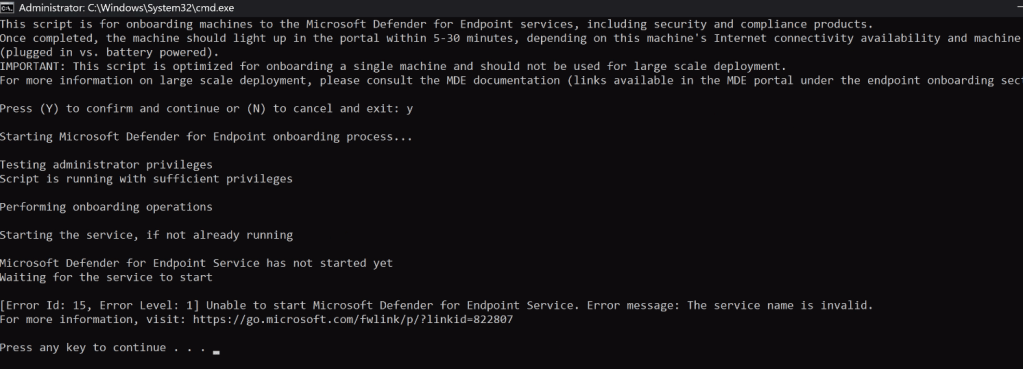
Upon reading various forums and looking up Microsoft’s knowledge, they (Microsoft) are aware of this issue, when upgrading from Home to Pro – article here.
The Workaround
Open an elevated command prompt, and insert the following command;
DISM /online /Add-Capability /CapabilityName:Microsoft.Windows.Sense.Client~~~~
Result;
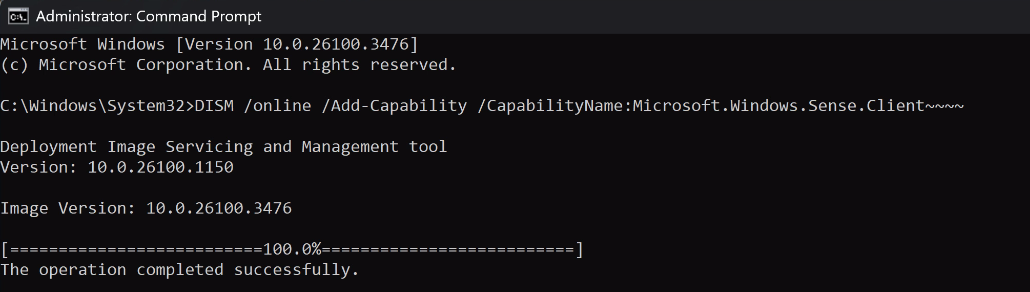
Once the operation is complete, restart the Windows device.
After a restart, instead of waiting for Intune to resync – I re-ran the Defender onboarding script, but this time with success;
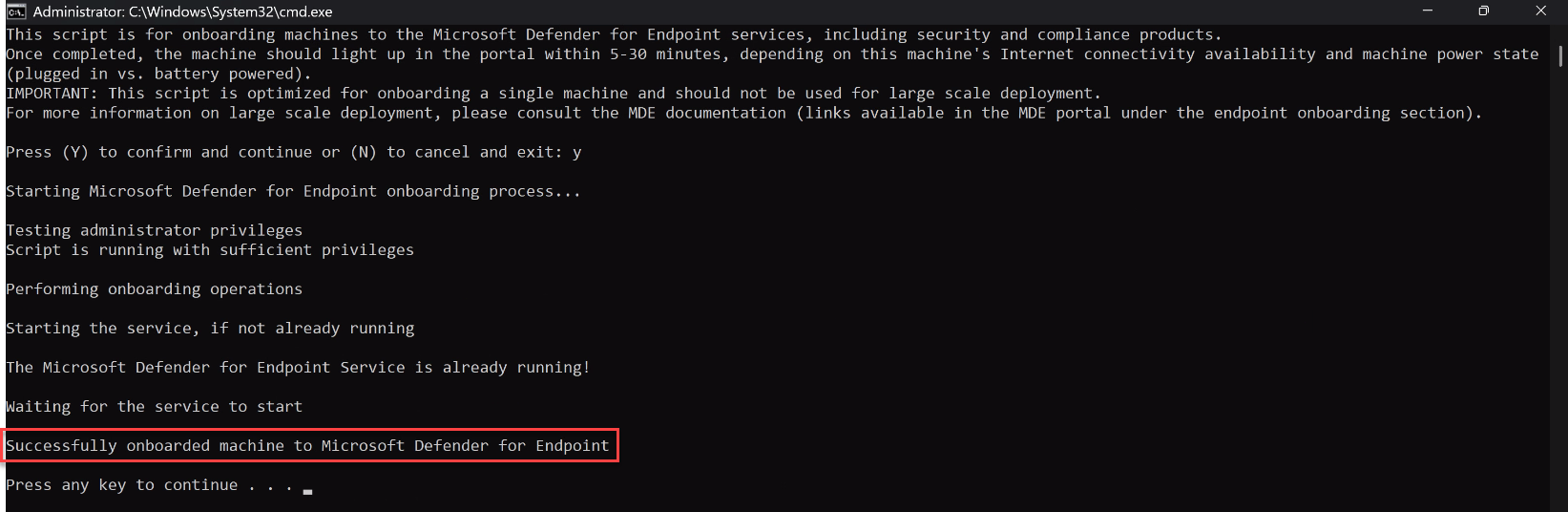
Heading back in the Intune Admin Portal, the onboarding blob is now showing Succeeded, with the device appear in the Security Admin Portal too;

 LRS Computers