
With Windows 11 becoming more and more popular due to the deadline of Windows 10, we have seen a small increase in driver issue, more specifically, “A security setting is detecting this as a vulnerable driver and blocking it from loading. You’ll need to adjust your settings to load this driver.”
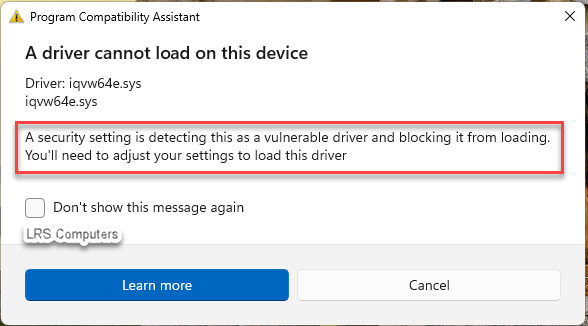
This prompt is due to a setting within Windows 11 Defender. Windows Security > Device Security > Core isolation details > Microsoft Vulnerable Driver Blocklist. More information here – Microsoft KB.
In this post, and this driver in question (iqvw64e.sys) – I’ll show you the steps on how I resolved it.
Your first thought would be to disable the setting in Windows Security;
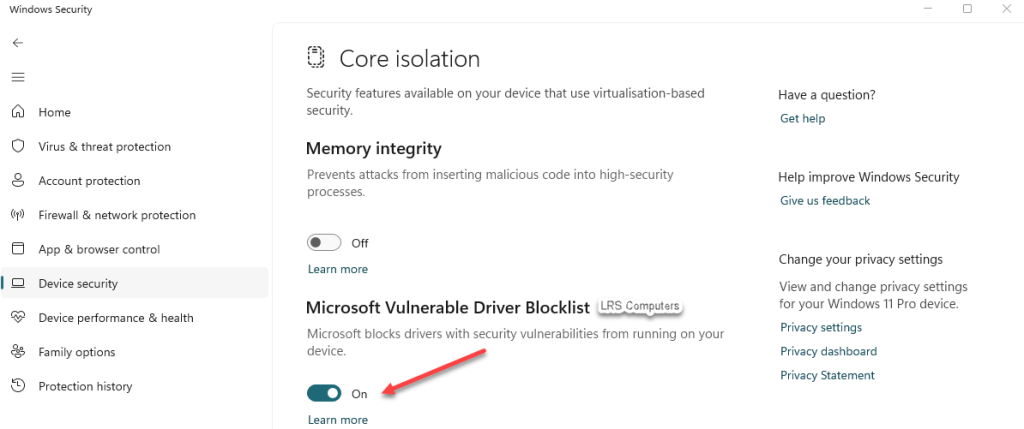
Disable the setting, the issue disappears, however, you’re potentially allowing a bad actor on your device…so, we want to fix the driver, and fix security concern.
In our case, (iqvw64e.sys), the issue was pointing to an Intel Network Card, which seemed a simple fix, find the model number of the Network Card, find the latest drivers and install them but when attempting that, the driver kept failing to install.
We tried downloading the Intel Support and Assistant application. The program is a bit of a time saver, as it will scan your device and give you the recommended updates. Again, it found a driver update but failed to install…
I then noticed 2 different Intel Network Controllers installed on the computer, one dated 2022 and the other 2025, so I removed the older installation.
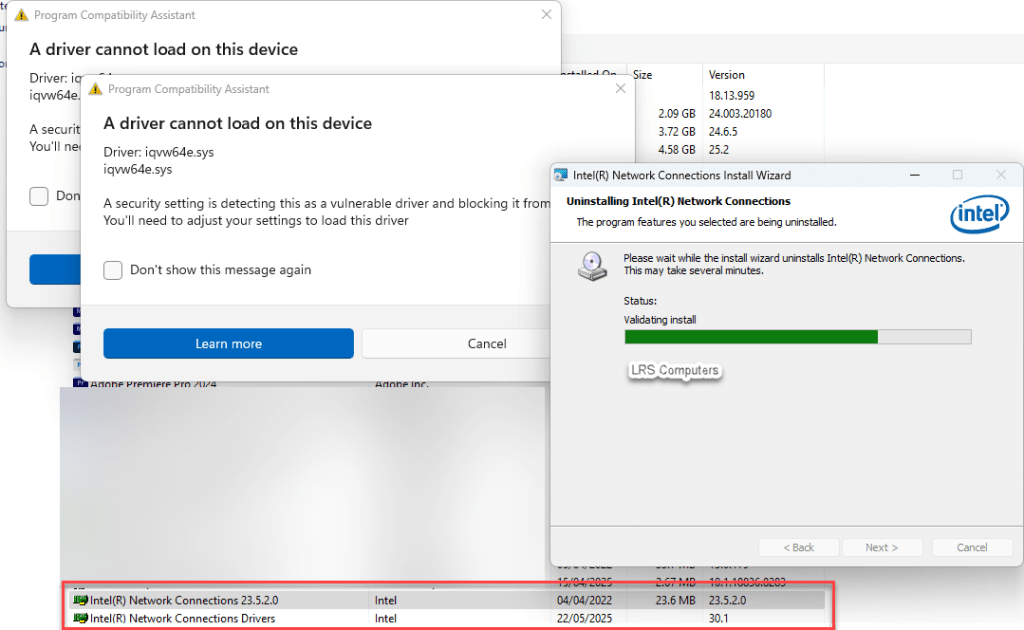
*IMPORTANT* Please note, when uninstalling, it did kill the network connection – if you’re attempting this fix remotely, you may lose access to the computer during this step.
When removed, the computer restarted, no prompt regarding the driver cannot load – we have semi-fixed the issue.
However, when looking into Device Manager, there is now a yellow warning triangle on the Intel Network Card. Then running the driver we previously downloaded, it now installed.
Resulting in the yellow warning triangle disappearing and the warning prompt about the driver also disappearing.
 LRS Computers