
By default, your staff can allow consent for any app to access the organisation’s data. In reality you may find nothing wrong with this for Microsoft Services such as Teams, Outlook, but how about third-party apps?
Should you be allowing third-party apps within your M365 tenant?
Third-party apps can stem from trusted sources such as Adobe, Salesforce, but quite often, we come across third-party apps that require an unnecessary amount of permissions and access.
There is currently a whole plethora of ‘AI’ apps, that staff are sign into using their M365 account, giving them access, such as being able to Read their mailbox or Send As them.
In the realm of IT, you will hear the phrase – Least Privilege. This means granting users, applications, and systems the minimum necessary access rights to perform their tasks, and no more.
In our case, we want to give the user the minimum apps that allow them to perform their job. We may have a pre-approved list of applications that they can access. But we also want to prevent them from signing into unapproved applications.

I will show you how to set up Consent and Permissions for Enterprise Applications.
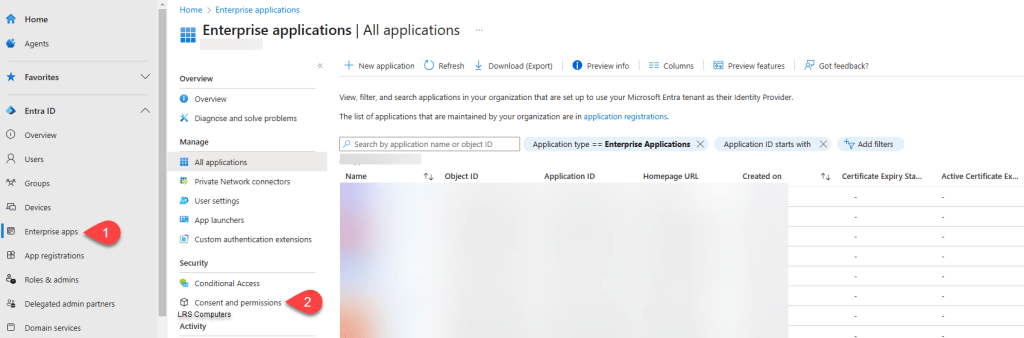
Firstly you will need to be a Global Administrator within your M365 tenant, and head over to the Identity / Entra Portal – entra.microsoft.com > Enterprise apps > Consent and permissions;
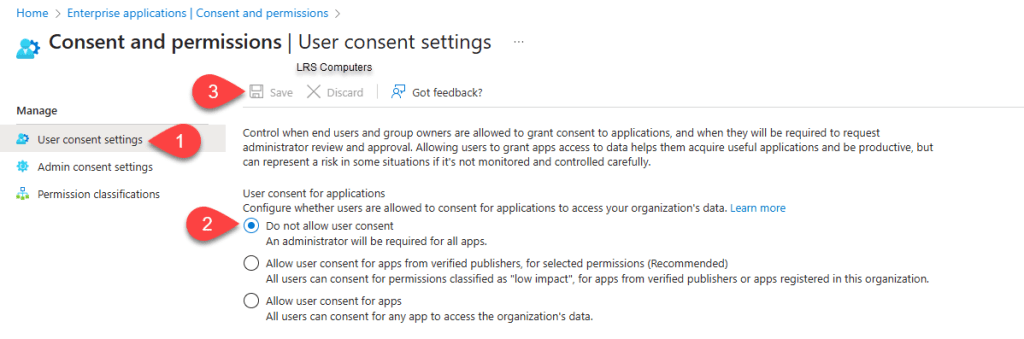
Under User Consent Settings, click on the radio button Do not allow user consent and then Save.
Then finally, under Admin Consent Settings > Yes to Users can request admin consent to apps they are unable to consent to > Select your Users > Save.
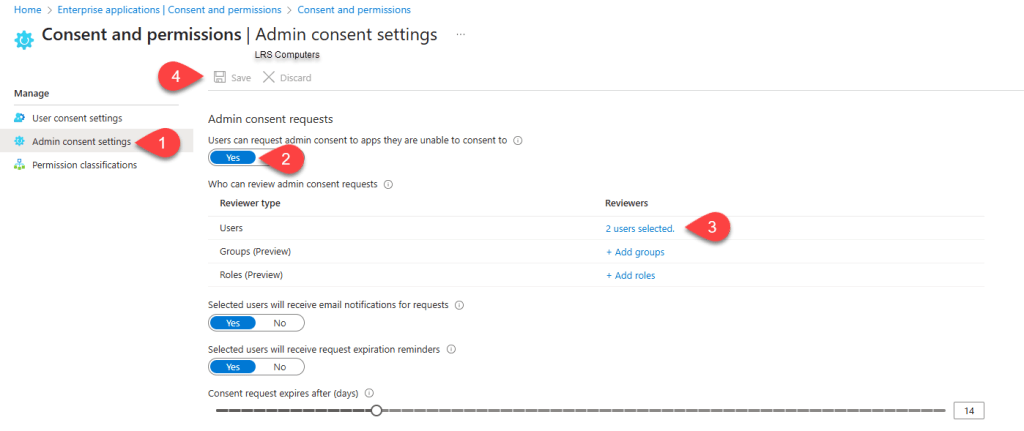
I do like to turn on email notifications, otherwise requests can go unheard.
So, how does the above work in practice? If we take an end user and attempt a single-sign-in for Zoom, as an example. The end user will be required to send a request, which will look like;
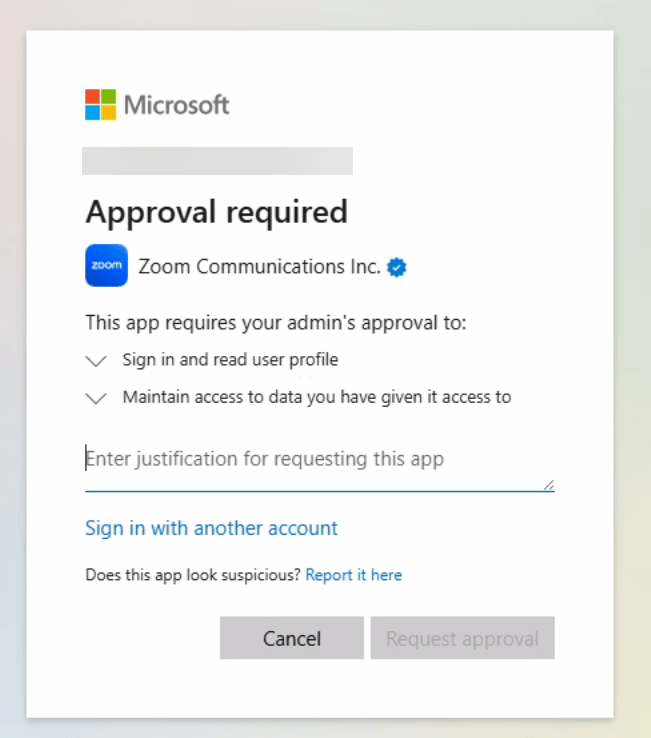
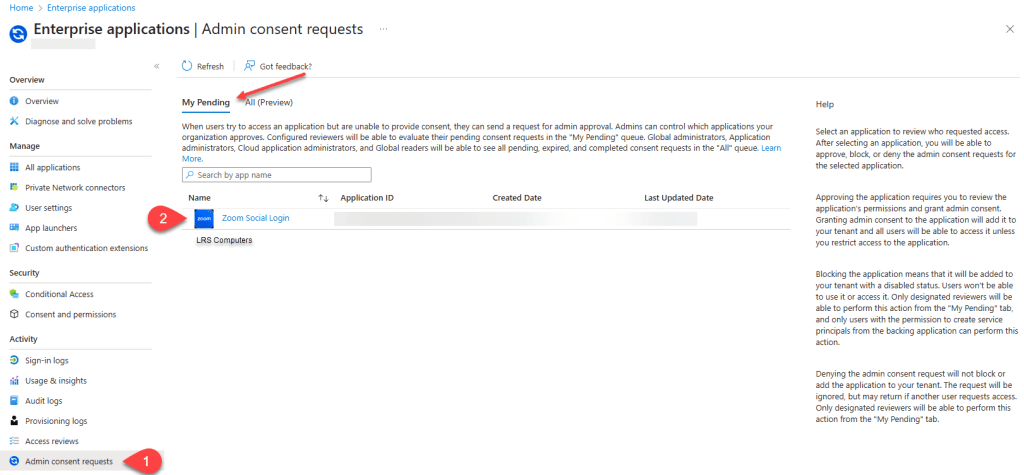
The users who can approve request, can review it and either Consent, Block or Deny. Reviews are found entra.microsoft.com > Enterprise apps > Admin consent requests.
 LRS Computers