Intune – Silently Sign into OneDrive and Sync

One of the luxuries of using Azure AD and Intune, is that staff can pick up a laptop or sit at a desk and start using an enrolled device.

Once they sign in using their Microsoft 365 account, policies, applications automatically get pushed out – open Outlook, it signs you in, emails start populating, and they can continue like normal. However, we do find staff not utilising OneDrive.

With your Microsoft 365 account (depending on the license), you are granted 1TB of storage, which we find more than enough for the average office user. When you sign into OneDrive on a device, you can ‘backup’ the following locations Desktop, Documents and Pictures.

I use the term backup loosely, as OneDrive is not a backup solution.

Once those locations are ‘backed up’, the data will follow you from device to device – providing the end user signs into OneDrive on a new device. However, why create a step for yourself or the end user when we can automate it with Intune.

In this post, I will share an Intune Configuration to help you achieve the above.

Read More »

Driver Cannot Load – iqvw64e.sys

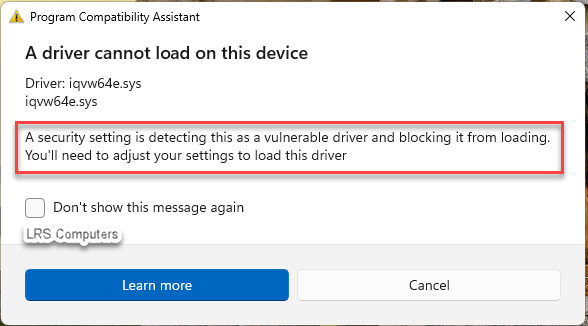
With Windows 11 becoming more and more popular due to the deadline of Windows 10, we have seen a small increase in driver issue, more specifically, “A security setting is detecting this as a vulnerable driver and blocking it from loading. You’ll need to adjust your settings to load this driver.”

This prompt is due to a setting within Windows 11 Defender. Windows Security > Device Security > Core isolation details > Microsoft Vulnerable Driver Blocklist. More information here – Microsoft KB.

In this post, and this driver in question (iqvw64e.sys) – I’ll show you the steps on how I resolved it.


Read More »

Windows 11 – Encrypt with Bitlocker and PIN

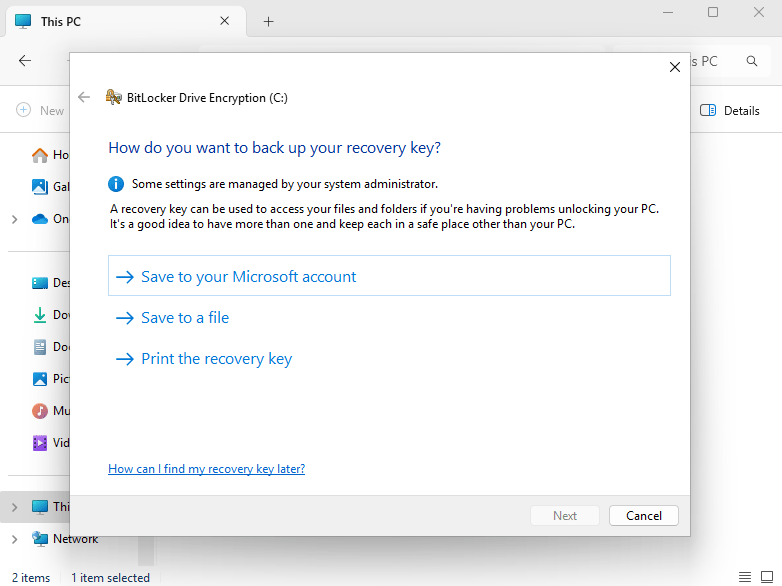
With many forms of industry standards and cybersecurity guidelines, you will see how important it is to encrypt your data. You may password protect your Windows device, but if it stolen – all it takes is someone to remove the drive, plug it into a HDD caddy, and they will have access to your data. Windows comes with its own version of encryption called BitLocker. Once BitLocker has been enabled, the data on that drive is encrypted.

However, is the standard out-of-the-box version of BitLocker secure enough? I’m going to show you how to encrypt your data with a PIN, meaning you can only get into Windows knowing the BitLocker PIN. Please note that you need to be running a Pro version of Windows to enable this setting.

Read More »

Defender for Endpoint – Onboarding blob from Connector (Not applicable)

With the luxury of using Microsoft Intune, alongside configuration policies, you can get a device set up quickly and efficiently just by enrolling it. I prefer some applications to be a Baseline, so we know that every device within a company has program X, Y & Z and one of those is Defender for Endpoint (Microsoft’s paid version of Defender).

In this post I’m going to show what happens, when you receive the following;

Read More »